
Do you know how to turn text into video with AI to grow your business?
In a world where video dominates online engagement, self-employed creators need every advantage to stand out—and one of the most effective strategies today is to turn text into video with AI.
People scroll past static text, skim blog posts, and often ignore traditional ads. But short, impactful, high-quality videos stop them mid-scroll.
For solopreneurs trying to grow visibility, connect with clients, and scale their business, that kind of attention is invaluable.
Fortunately, with the ability to turn text into video using AI, professional-quality content creation is no longer out of reach.
Whether you’re using a free tool or a video maker with a paid plan, AI-powered tools have made video creation more accessible than ever.
The challenge is that producing videos usually means cameras, lights, editing software, and extensive preparation.
Most freelancers and solopreneurs don’t have the budget or bandwidth for that.
Yet audiences expect video content, and platforms reward it with higher reach.
This tension between the demand for video and the limited resources of a one-person business has opened the door for smarter, faster solutions that make professional content accessible to anyone.
That’s where the ability to turn text into video with AI is a game-changer for content creators.
Today’s AI video generation tools allow users to convert text files or text scripts into fully edited videos with smooth transitions, background music, and even lifelike AI avatars—no video editing experience or complex editing skills required.
Let’s explore how video AI tools with intuitive interfaces, customizable AI avatars, and realistic AI voiceovers are transforming how creators generate promotional videos, product demos, and story videos for various platforms.
Table of Contents
How to Turn Text into Video with AI
For years, the only way to create professional-looking video was through expensive equipment, editing suites, or a hired production team.
That’s no longer the case. AI-powered platforms now make it possible to turn text into video in a matter of minutes. Instead of scripting, filming, and editing everything by hand, you can input your words and watch them come to life as polished, ready-to-share content.
The process is straightforward.
Start with a piece of text you already own—maybe a blog post introduction, a sales pitch you’ve written, or even an email that explains your services.
Paste it into the AI tool, select a visual style or presenter, and the platform generates a video version complete with voiceover and visuals.
What used to take days can now be done over a coffee break.
This shift is a game-changer for self-employed professionals who often feel torn between creating content and running their businesses.
With an AI-generated video, you don’t need technical skills or a big budget to produce videos that look professional enough to compete with larger brands.
It turns written content into a versatile asset, ready to boost your reach on platforms where video performs best: social media feeds, email campaigns, and even your website.
Every blog post, article draft, or course outline sitting on your hard drive isn’t just text.
It’s a library of potential videos waiting to be unlocked.
When you turn text into video with AI, you extend its lifespan, expand its reach, and connect with audiences who prefer to watch rather than read.
Why Creating Videos Without Time or Resources is Challenging
For many self-employed professionals, the idea of making video content sounds exciting until the reality sets in.
A decent setup often requires a quality camera, proper lighting, editing software, and the skill to use them all.
Even then, there’s the added pressure of being comfortable on camera, writing scripts, and finding the time to record.
These obstacles drain more than just money—they drain energy.
A solopreneur is already pulled in every direction, juggling client projects, marketing, bookkeeping, and daily admin.
Trying to layer video production on top of all that often feels impossible.
Many creators invest in cameras, lights, or editing software with the best of intentions, only to watch the equipment collect dust because they can’t find the time or mental space to learn and use it properly.
Confidence is another barrier. Not everyone enjoys speaking on camera or feels natural presenting to an audience.
For many, the thought of being recorded adds anxiety rather than motivation.
That discomfort often stalls progress, leaving business owners stuck with written content alone, even though they know video could help them reach more people.
When you’re running your own business, those hurdles feel overwhelming.
The focus is usually on serving clients, marketing services, or managing day-to-day operations—not spending hours piecing together a video.
It’s no wonder many entrepreneurs put video content on the back burner, even while recognizing that video is one of the fastest ways to grow their reach and build credibility.
4 Smart Ways Self-Employed Creators Can Turn Text into Video with AI
Once you start looking at your written content as potential video material, the opportunities open up quickly.
AI video tools give self-employed professionals the chance to work smarter, not harder.
Here are some of the most effective ways to use them:
Repurpose blog posts into video clips for social media
Imagine you’ve written a 1,200-word article on productivity tips for freelancers.
You could slice that content into three or four short AI-generated videos—each covering one tip—and post them to LinkedIn or Instagram Reels as your social media clips.
When you turn text into video with AI, the videos pull viewers in, while the blog post remains a resource for anyone who wants the full breakdown.
Showcase your services with explainer videos.
A freelance designer, consultant, or coach often has service pages filled with text.
Potential clients don’t always have the patience to read through them.
By turning that text into a short AI video, you can explain what you do in under a minute.
That polished introduction can make the difference between someone scrolling away and someone reaching out.
Transform educational material into courses or tutorials.
Many solopreneurs already create learning materials—checklists, eBooks, or training modules.
Those written assets can easily be converted into video lessons through an AI text-to-video generator.
For instance, a career coach with a written guide on interview preparation could produce a video series from the same content, turning an existing resource into a premium digital product.

Create client onboarding or proposal videos.
Video isn’t only useful for marketing—it can also make the client experience smoother and more personal.
Instead of sending long onboarding emails that risk being skimmed or overlooked, you could share a short AI-generated video that walks new clients through your process step by step.
Proposals can benefit too. Presenting your ideas in a quick video feels more engaging than a static PDF and helps your message stand out.
When you turn text into video with AI, these small but thoughtful touches build trust, show professionalism, and make your business memorable in a crowded market.
Each of these approaches helps you get more mileage out of content you’ve already created, saving you time while giving your business a sharper, more modern presence.
The SEO & Marketing Boost from Video Content
Video doesn’t just grab attention on social media—it also strengthens your website’s performance.
Search engines measure how long visitors stay on a page, and videos naturally keep people engaged for longer. That extra time signals value, which can improve your rankings.
There’s also the share factor.
Videos are far more likely to be reposted than text alone, expanding your reach without extra effort.
In fact, research from HubSpot shows that adding video to your content strategy can significantly increase traffic and conversions.
For self-employed professionals, this means your existing words aren’t just static blog posts or course notes.
With a simple transformation into video, they can become traffic drivers, brand builders, and lead generators all at once.
You can turn blog posts on your website into a complete video or YouTube content.
Case Study: From Blog to Business Growth with AI Video
Here’s an example of a freelance writer who writes weekly blog posts to attract clients.
The articles are informative and bring in some organic search traffic, but the reach feels limited.
By converting key insights from those posts into short AI-generated videos, the writer is able to share the same expertise on LinkedIn and YouTube.
The impact shows up fast.
Peers begin sharing the videos, exposing the consultant’s expertise to a wider professional audience that never would have found the blog alone. Some of those viewers subscribe to the newsletter, a few schedule introductory calls, and new contracts follow.
What started as a single blog post evolves into the foundation of an entirely new client pipeline—simply because the content was delivered in a format people were eager to watch and share.
Now picture a very different scenario: a fitness coach running a small online business.
She already has a library of workout plans and blog posts on healthy living.
By using AI to turn that written material into short video lessons, she creates a mini course she can sell directly to her audience. The written content remains valuable, but the video versions provide a richer experience that customers are willing to pay for.
Both examples highlight the same principle.
When you turn text into video with AI, you multiply the return on your effort. Instead of being confined to one channel, your words work across platforms, engaging people who prefer to watch, listen, or learn in different ways.
Practical Tips for Turning Text into Video with AI
The easiest way to begin is by working with content you already have.
Blog posts, service descriptions, or even client FAQs can serve as scripts for your first videos. Instead of writing from scratch, you’re simply reshaping what you’ve already created.
Batching can also save time.
By writing or selecting several short scripts at once, you can convert them into a set of videos ready to schedule across different platforms. Working in batches helps you stay consistent without adding to your weekly workload.
Staying on top of video marketing trends can also make a difference, showing you where audience preferences are headed and which formats are worth experimenting with.
Pairing smart strategy with AI tools makes it easier to reach more people without stretching yourself thin.
6 Popular AI tools to turn text into video
If you are looking to explore AI-driven video generation then check out some of the awesome tools:
-
Pictory AI – Ideal for turning blog posts and scripts into professional-looking videos.
-
InVideo AI – Beginner-friendly tool for converting text into engaging social media videos.
-
Synthesia – Great for creating AI avatar videos from scripts.
-
Lumen5 – Perfect for turning blog articles into slideshow-style videos.
-
Fliki – Offers AI voiceovers and a simple interface for fast video creation.
-
VEED.io – Easy-to-use editor for quick video creation from text and subtitles.
Frequently Asked Questions: How to Turn Text into Video with AI
What is a text-to-video AI tool?
A text-to-video AI tool is software that allows you to convert text descriptions, blog posts, or scripts into videos using AI-powered automation.
These tools often include features like realistic AI avatars, AI voices, customizable caption styles, and intuitive interfaces that simplify the video creation process—even if you have no editing experience.

Can I use AI video tools for free?
Yes, many platforms offer a free version or free trial that lets you explore core features before committing to a paid plan.
Free tools can include essential functions like converting text prompts into short videos, adding background music, and choosing from basic aspect ratios.
For more advanced features like brand assets or dynamic animations, you will need a subscription.
What types of video can I create with AI tools?
With the right video AI generator, you can create story videos, promotional materials, educational videos, video ads, video landing pages, or product demos.
These tools support various platforms by letting you export in multiple video formats with options to add static images, stock videos, or even camera movements.
Do I need editing skills to create videos with AI?
Not at all. AI video generators are designed for ease of use.
With a user-friendly interface and pre-built templates, most platforms allow you to start with a simple prompt or text script and end with a professional-grade final video.
The intuitive interface helps guide your creative direction while automating the hard parts like transitions and AI-generated scripts.
Can I maintain my brand voice in AI-generated videos?
Yes. Many AI video tools let you upload your brand assets—like logos, fonts, and brand colors—and customize your video’s appearance and voice.
You can also adjust AI voices and caption styles to match your tone, ensuring consistency across all video projects and marketing campaigns.
How do AI tools support global reach?
AI-powered video creation tools often include multilingual voiceovers, flexible aspect ratios, and various export formats. This allows small businesses and solo creators to share videos across different platforms and reach a global audience.

Final Thoughts on How to Turn Text into Video with AI
For self-employed professionals, time and resources will always feel limited.
Yet audiences continue to expect polished, engaging content, and video sits at the top of that list. The difference now is that creating those videos no longer requires a production budget or a team of specialists.
By turning written work into video using AI, solo creators can amplify their presence, connect with clients on a deeper level, and find new ways to monetize their existing knowledge. When you turn text into video with AI, what once felt out of reach is now accessible with just a few clicks.
The path forward is clear: keep writing, but think beyond the page. Every paragraph, draft, or set of notes has the potential to become dynamic video content. For the self-employed, that shift can be the edge that transforms consistent effort into lasting growth with engaging AI videos with minimal effort now.
Whether you’re creating promotional videos, story videos, or fully edited videos with creative vision, today’s AI-powered tools give you the ability to share videos that align with your brand voice and captivate a global audience.
RELATED BLOG POSTS ON HOW TO TURN TEXT INTO VIDEO
In addition to learning about how to turn text into video with AI, you should check out my legal tips page here along with these helpful articles next:
- 11 Website Legal Pages Every Online Business Needs
- When to Hire a New Jersey Accident Lawyer
- 15 Essential Legal Tips for Startups
- 23 Legal Tips for Small Business Owners
- Why You Need an AI disclaimer in your business
Subscribe to my YouTube channel for more legal and business tips.
VISIT THIS FREEBIES PAGE TO GET 5 AWESOME FREE BUSINESS, BLOGGING AND LEGAL TIPS!
Below are some more helpful blog posts, legal tips, tools, and resources that you should check out next:
Outrank your competition and enhance your content creation
How to Legally Protect Your Book (with Proper Copyright Notice and Disclaimer Examples)
Boost your creativity with these tips
This SEO tool makes sure your blog posts rank on the first page of Google!
Manage your accounting effortlessly with this amazing tool.
MORE TOOLS TO GROW YOUR ONLINE BUSINESS
TubeBuddy to grow your YouTube channel, and this is another great tool for YouTube SEO.
Free SEO Masterclass to learn how to optimize your blog posts for SEO to rank on Google. You can also buy this awesome bundle of ebooks instead if you prefer ebooks over video training.
Best accounting software to manage profit and loss and more!
Best registered agent service for your new LLC.
A great all-in-one business platform for hosting your course, email communications, sales pages, and more!
How to start your blogging business and make money online
The Best Freelance Writing Contract Template (for writers and clients)
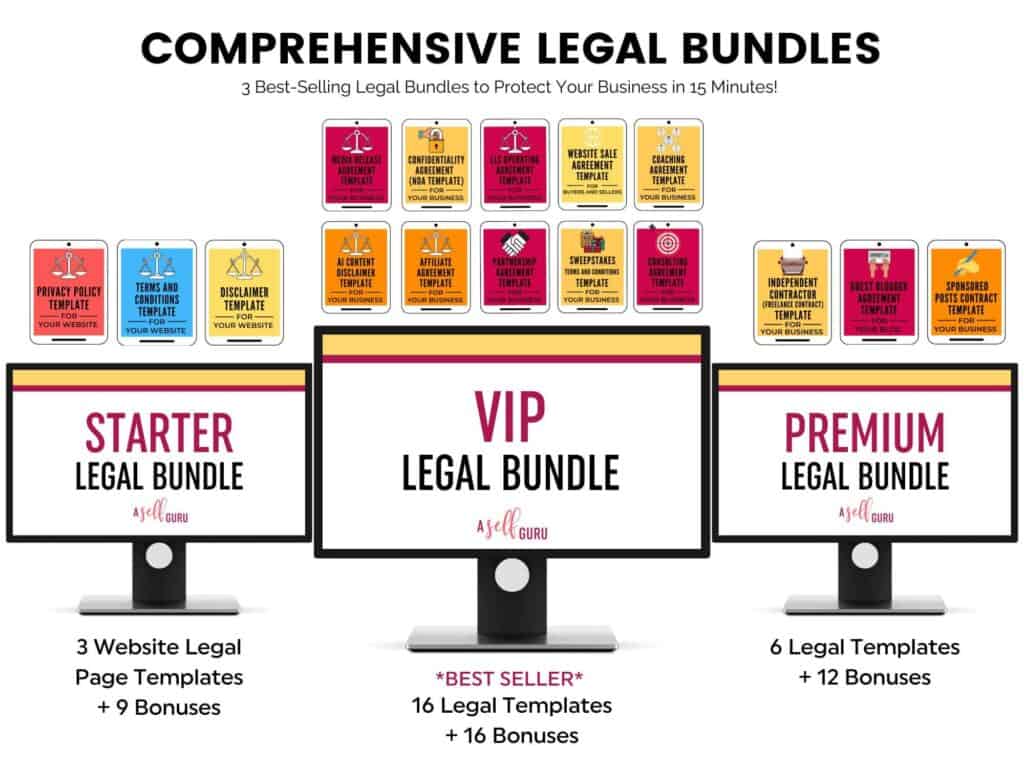
Guest Blogger Agreement to publish guest posts on your website legally and avoid any copyright infringement, Media release agreement to be able to use other people’s photos, videos, audio, and any other content legally, Privacy policy on your website to ensure your blog’s legal compliance, Disclaimer to limit your legal liability, Terms and Conditions to set your blog rules and regulations! Get all of these templates at a discounted rate in one of my best-selling VIP legal bundle here.