
Have you heard people talking about “website accessibility” or “ADA website compliance”, but you’re not sure what that means or how to make your website ADA compliant?
Don’t worry; you’re not alone.
You may also be wondering whether you need to make your website ADA compliant? Yes, you do! (whether you are in or outside the US)
An accessible website is a MUST these days to prevent expensive website accessibility lawsuits.
ADA website compliance is a requirement of federal ADA regulations.
ADA compliance may seem confusing like many other legal concepts business owners should know. But as a business owner, it’s up to you to keep your website compliant to protect yourself from costly lawsuits.
Unfortunately, as a business lawyer, I know a lot of bloggers, coaches, and other entrepreneurs who have been sued or have received demand letters claiming damages for ADA violations.
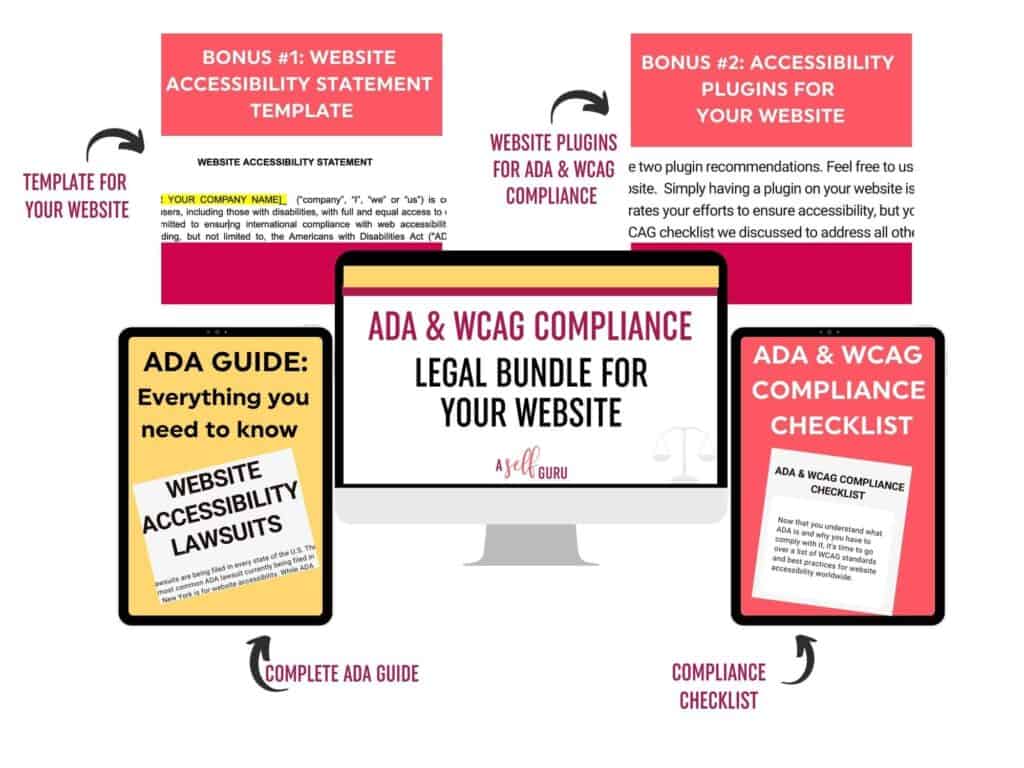
That’s why I created this ADA and WCAG Compliance bundle here that comes with the ADA website compliance checklist, guide, plugin recommendations, and an Accessibility Statement for your website (as a special bonus for free).
Below, we will discuss what ADA is, why it’s important, recent lawsuits, and an ADA website compliance checklist you’ll need.
Table of Contents
What is ADA Website Compliance?
ADA stands for the Americans with Disabilities Act, and it prohibits discrimination against people with disabilities.
ADA was enacted in 1990 but in 2010, the US Department of Justice released ADA Standards for Accessible Design.
The ADA standards explain that all information and electronic technology (such as websites) must be accessible to disabled users. This means that your website must be accessible to people with visual impairments and hearing impairments too.
According to the ADA, if your digital content is inaccessible, you are discriminating against people with disabilities. You need an ADA compliance checklist and need to make sure you are following the law.
What is considered a “Disability” under the ADA?
For the purposes of the ADA, a disability is generally a physical or mental impairment that substantially limits a major life activity.
So obviously, it includes people who have difficulty seeing, hearing, or are blind.
The Department of Justice regulations provide a non-exhaustive list of what constitutes a physical or mental impairment under the ADA, including certain mental and psychological impairments and disorders.
Did you know that there are 3.8 million adults from the ages 21 to 64 who are blind or have vision impairments even with contacts or glasses? And over 466 million people globally have some type of hearing disability.
And a 2020 study illustrated that 98% of the top one million websites in the world don’t offer full website accessibility.

How does ADA apply to Websites?
I’m sure you’re wondering if your website needs to be ADA compliant, so here are the websites that must comply with these standards:
- All local and state governmental agencies
- Businesses that operate for public benefit with physical location
- Private organizations with 15 or more employees
- Businesses that would be considered a “place of public accommodation”
When ADA was first enacted back in the day, the intent was to protect people with disabilities in the public sector. We are talking about general public places such as restaurants, hotels, office buildings, housing, parks, gyms, and so forth.
So if you had a business open to the areas of public life in a traditional sense (brick and mortar type), then it was clear that ADA applied to you and you had to comply with the Accessibility standards.
But things got complicated and confusing if you had an online business.
This refers to business owners like you and me who have a website or online business.
The question of whether the ADA applies to a company’s website is becoming increasingly important.
Websites are not specifically identified as place of public accommodations because the internet was in its early stages when the ADA was passed. However, the Department of Justice and many courts in recent years have agreed that websites are now covered by the ADA. That’s why you do need to ensure ADA website compliance.
But websites are subject to different accessibility standards than public spaces or physical places of public accommodation.
Related Blog Post: What Questions to Ask a Lawyer Before Starting a New Business
Check out those questions here.

What does it mean to have an ADA Compliant Website?
It means your website meets the Americans with Disabilities Act Standards for Accessible Design by allowing people to consume online content, such as blog posts, videos, and online services, using tools such as screen readers or keyboard-only access.
Make sure to use this tool to add captions to your videos within minutes!
I go over all that in my complete 16 step ADA Website compliance checklist here. Use this ADA bundle to ensure ADA website compliance!

ADA Website Lawsuits (for non-compliance)
Thousands of lawsuits have been filed alleging that company websites are inaccessible to the blind or visually impaired, in violation of Title III of the ADA, which prohibits disability discrimination in “places of public accommodation.”
Courts in New York have ruled that a website is a “place of public accommodation” and must comply with the ADA.
Over time, it has become clear that the ADA applies not only to websites linked to physical stores, but to any website for any company with operations in the United States.
There’s no reason to wait to make your website ADA compliant because of the number of lawsuits on the rise.
These lawsuits come in all shapes and sizes, from big companies like Netflix, CNN, Dominos Pizza, and Amazon to small business owners like you and me.
For example, when Netflix was sued for non-compliance with the ADA, they had to pay $755,000 in attorney fees and costs as well as other fees to settle the lawsuit.
Unfortunately, I know a lot of bloggers, coaches, and business owners who have been sued or have received demand letters claiming damages for ADA violations. I spoke to one yesterday and one of my friends settled for $50K to make the ADA lawsuit go away. So, guys, this is important!
Here are 10 big companies sued over website accessibility issues, and you definitely don’t want to be one of them. That’s why ADA website compliance is so important now.

Do you have to comply with ADA if you are outside the U.S?
Does your website need to be ADA compliant and accessible to people with disabilities? Yes, it does even if you are outside the US.
There are accessibility laws around the world and business owners are getting sued in the US, UK, Canada, European Union, Australia and other countries because their websites are not accessible to people with disabilities.
Website Content Accessibility Guidelines (WCAG Standard)
Because the ADA doesn’t provide clear standards or guidelines for website compliance, many organizations around the world follow the Web Content Accessibility Guidelines known as WCAG. These were developed by the World Wide Web Consortium (W3C), an organization that develops Internet principles.
WCAG guidelines have been perceived and adopted by organizations, associations, and governments all over the world. For determining whether a website violates the ADA, courts have relied on WCAG guidelines HERE.
So even if you are outside the U.S., follow the WCAG guidelines to ensure your site is accessible.
Being proactive about following these regulations ensures you stay ahead of the curve and ensures a great user experience for people who visit your website.
WCAG Compliance Levels
The WCAG has identified three levels of ADA compliance:
Level A
This level explains the bare minimum for accessibility requirements, but it doesn’t meet broad accessibility standards in many situations.
Level AA
Level AA guidelines include medium compliance and takes care of the most common barriers people with disabilities face on websites.
Level AAA
This level of accessibility is the highest level of compliance, but for some content, it’s impossible to satisfy all the criteria for this level. The key is that websites must work with assistive technology to satisfy compliance requirements and websites that aren’t designed well often create barriers for disabled people.
These barriers either prevent them from accessing your website entirely or limit the amount of information they can view. As a result, the user experience suffers.
For these reasons, this ADA and WCAG website compliance checklist really comes in handy for knowing what needs to be changed on your website, so you comply with these standards.
Website Accessibility Checklist (Four Principals of Website Content Accessibility Guidelines)
There are four principles that guide website compliance accessibility requirements.
Operable
Site navigation including navigation bars needs to be keyboard accessible, have enough time to complete interactions such as filling in online forms, and have no keyboard traps.
Users must be able to operate navigational and user interface components. The interface can’t make users interact in a way they can’t.
Perceivable
Website content should be perceivable to people with disabilities, including text alternatives for non-text content and captions (text transcript) for audio files or video content. Include audio descriptions.
All user interfaces and information components must be available to people in a variety of ways because people with disabilities perceive things in different formats depending on their disability.
Robust
Content on your website must be of high quality and robust enough that most users can reliably interpret it with assistive technologies. Users should be able to access the content even as users and technologies evolve.
Understandable
Content should be written in a language that is easily understood by everyone, including those with cognitive disabilities, or provide alternative forms of communication such as sign language videos.
Everyone must be able to understand how to operate your website interface and the information it displays.
It’s these four main principles that help establish the guidelines and provide solutions to making your website accessible to people with disabilities. Thankfully, you can make your website compliant with these tips and areas of compliance.
Related Post: Creating a Website from Scratch: 13 Essential Steps
How do I make my website ADA compliant?
To be honest, it’s not easy to make your website ADA compliant if you don’t know what you are doing. There are different steps to follow, and it’s a lot more than adding alt text to your images or subtitles to your videos for example.
Unfortunately, there are no apps or services that you can install and instantly become compliant. It’s not that easy!
But don’t worry, that’s why I give you the ADA Website Compliance and WCAG checklist in my bundle here to make things easier for you. Otherwise, I know how confusing everything can be!
ADA and WCAG Compliance Bundle (prepared by a lawyer)
I’ve put together this bundle after massive research of the court cases and consultations with my fellow lawyers who are litigating these ADA lawsuits.
Watch the video below to learn more!
Website owners will also get the digital accessibility checklist as part of my ADA website compliance legal bundle. It comes with…
- an ADA Guide explaining what it is, why you need to comply, recent lawsuits, and website accessibility guidelines. $50 VALUE
- ADA and WCAG Checklist that shows 16 steps you can take to improve accessibility and ensure compliance. $100 VALUE
- BONUS #1: Website Accessibility Statement Template that you can post on your website (available for a limited time only! This template alone is worth the price of the bundle. $100 VALUE
Other lawyers are charging more than $100 just for this Website Accessibility Statement alone! But you’ll get it for free as part of my ADA bundle.
- BONUS #2: Two Recommendations for Accessibility Plugins (free and paid) you can use on your website to improve accessibility, make your website design accessible to all users regardless of their impairment and ensure compliance. You only have to use one plugin. $50 VALUE
This is the ONLY bundle that comes with an ADA Guide, ADA and WCAG Checklist, Website Accessibility Statement, ADA Plugins, and more!…works for US, UK, Canada, Australia, and other countries!
With this checklist and legal bundle, you will have all of the information you need to ensure your websites are accessible for everyone.
Watch the first video here to take a sneak peek!
How is ADA enforced?
Actions for ADA violations can be brought by either the DOJ or an individual who has been discriminated against.
A private individual bringing a legal action is entitled to injunctive relief requiring the public accommodation to remove the barrier to accessibility and courts also award attorney’s fees to the prevailing party (this is where you end up owing thousands of dollars!).
If the DOJ brings legal action against your business then the penalties are even more severe! They can get a temporary or permanent injunction as well as monetary damages for the injured individual.
There are also civil penalties against the business in the amount of up to $50,000 for the first violation and up to $100,000 for any subsequent violations. That’s why you shouldn’t procrastinate on ensuring ADA website compliance.

Is Using an Accessibility Plugin on my website enough to show ADA Compliance?
As I mentioned above, no plugin or app alone will make your website ADA compliant.
My ADA and WCAG Compliance bundle gives you plugin recommendations (free and paid one) as a bonus to help with compliance and make your website more accessible but it’s never enough.
The plugins don’t address the underlying issues associated with accessibility. Sometimes, they make it more difficult for people with disabilities to access your content. Plus courts defer to the WCAG guidelines to see how accessible your website is, and thanks to my ADA website compliance checklist here, you’ll learn the exact 16 steps you need to take right now.
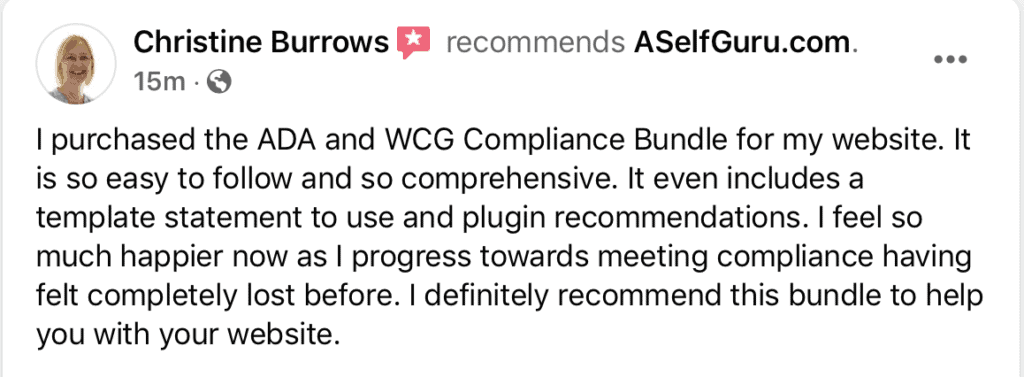
Take a look at what my customer, Christine has to say about this bundle:
Accessibility Statement for Your Website
Now you may be wondering what’s a website accessibility statement?
It’s the first step that shows your efforts towards ADA compliance and avoids litigation.
Customers with disabilities may not be aware of your behind-the-scenes efforts towards accessibility unless you inform them.
An accessibility statement on your website communicates your policies, accessibility goals, and commitment to prohibiting discrimination against people with disabilities.
Benefits of a Website Accessibility Statement:
There are many benefits of having a website accessibility statement such as
- communicating your efforts towards accessibility directly with your visitors including people with disabilities, so they can be helped
- limits your legal liability because it shows to courts what initiatives you have taken towards ensuring your website is ADA compliant
- demonstrates to your visitors that you value accessibility and strive to make your content more user friendly
- answers questions your users may have about accessibility and navigation of your website
Not having a website accessibility statement shows that you do not care about compliance with the ADA, the rules, or about people with disabilities.
Free ADA Website Accessibility Statement Template
Not sure what ADA Statement you need on your website? Don’t worry, just fill in the highlighted blanks of my BONUS template here and you’ll be done in 5 minutes!
Get a free ADA Website Accessibility Statement template as part of my ADA bundle here for free! ($100 Value).
Just like all my legal templates here, this template is super easy to use, and simply plug in your business information as instructed and start using it right away!
It will help avoid litigation and show your efforts towards ADA and accessibility laws out there!
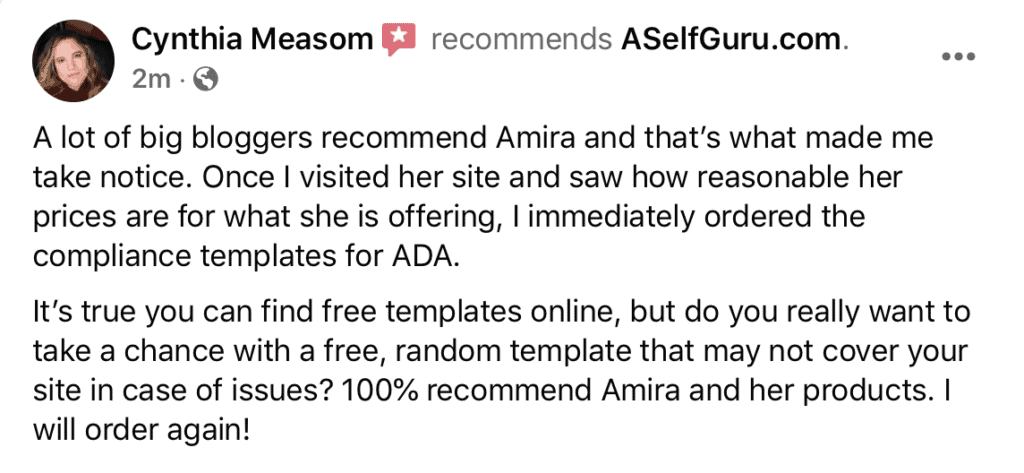
Take a look at what my customer, Cynthia has to say about my ADA and WCAG Legal Bundle plus this bonus template you’ll get!
Top 4 Reasons why your website should be ADA compliant
1. Avoid expensive lawsuits
As shown above, ADA lawsuits are on the rise! There’s a new lawsuit filed every day, and this is a new area of litigation that’s only going to get worse. SO it’s important to get compliant now instead of paying hefty legal fees and civil penalties later, as Beyonce did.
Having an ADA-compliant website will help businesses avoid fines and lawsuits.
Your website should be accessible to deaf, blind, and visually impaired users, as well as those who use screen reader software and voice readers or other assistive technologies to navigate the web.
Also, here are the common website mistakes you should avoid at all times to protect your website.
Keep in mind, it doesn’t matter whether your business is big or small. I know many small bloggers and entrepreneurs who have been sued for non-compliance with the ADA.
2. Prohibit Discrimination against people with disabilities and provide equal access to everyone
It goes without saying that the purpose behind ADA is to give equal access to everyone, including people with disabilities. With millions of people with disabilities in the world and shopping online, it’s important to make your website accessible to them.
3. Increase your reach and target audience
As shown here, about 50 million in the US and 15% of the world’s population have a disability.
You can serve all of those people and expand your reach by making your website accessible. Also, if people with disabilities are unable to access your website or purchase your products, this is bad for business.
4. Increase your SEO
With Google’s Core Website Vitals update, user experience is even more important now.
Google is starting to focus more on user experience with the introduction of Core Web Vitals. In May 2021, Google announced that page experience would also be a ranking factor to help ensure that users get the most helpful results.
So, the experience a user has will be an even bigger part of search engine optimization basics.
I also recommend using this SEO tool to make sure your website and blog posts rank in search engines, particularly on the First Page of Google!
When you work on implementing the ADA website compliance checklist here, you’ll see that all these efforts will help increase your SEO too. For example, simple changes like adding alternative text (image alt text) for images, video transcripts, using right headers in blog posts, and so forth will increase your SEO.
How to Make Your Website ADA Compliant in 2023- Legal Best Practices
Now you know what ADA website compliance is, it’s time to make your website more accessible to people with disabilities using my bundle here.
Businesses have a couple of options.
You can hire an independent consultant to handle the changes, or if you have a larger business, you can appoint someone to handle web accessibility for people with disabilities.
But most of us are small business owners. As bloggers and small business owners, we don’t have the budget to hire a consultant or appoint someone to handle the ADA compliance changes.
So, use this ADA and WCAG compliance checklist for websites and tips to make your website accessible and compliant.

FAQs on ADA Website Compliance
Is ADA Compliance mandatory for websites?
You probably want to know if you’re legally required to make your site accessible, and the short answer is, yes, everyone’s website should be accessible to people with disabilities.
Google is paying more attention to user experience and including it as a ranking factor. So one top SEO tip is to make your website accessible – as much as you can without incurring crazy expenses.
What websites must be ADA compliant?
Courts have ruled that a business website is a place of “public accommodation”, so everyone must be able to access them. So your website should be ADA compliant.
Theoretically, the ADA (Americans with Disabilities Act) Title III does not address websites specifically, but under Title II (Level AA), state and local government websites MUST be accessible. And there are many accessibility lawsuits now against public and private businesses with inaccessible websites.
What is the most current ADA code?
The most current version of ADA compliance is the 2010 ADA Standards for Accessible Design released by the Department of Justice on September 15, 2010. The 2010 ADA standards replace the original 1991 version.
What Are ADA Compliance Requirements For Websites?
ADA compliance requirements for websites include providing captions and audio descriptions for videos, ensuring that text can be resized without losing content or functionality, making the website keyboard accessible, ensuring proper color contrast between foreground and background colors, using descriptive link labels, providing alternative text for images, avoiding flashing effects that could cause seizures in viewers with photosensitive epilepsy, and ensuring pages are compatible with assistive technologies.
Additionally, websites must be designed to accommodate the needs of users with disabilities, such as low vision or hearing impairments.
Websites should also avoid using language barriers that could disorient users who may have difficulty understanding English.
Grab this legal bundle to get the complete checklist of ADA compliance requirements for websites to ensure your website and business are compliant.

Final Thoughts on ADA Compliance Website Checklist
Having an ADA-compliant website is the right thing to do, and it is also critical for ranking on Google now because it affects user experience. And we all know that SEO is a critical strategy to get long-term stable traffic to your website.
So, now you’ll need to optimize your entire website using ADA compliance guidelines as well as basic SEO tips here to prevent any accessibility problems.
This ADA website compliance checklist can help you check the most important things on your website that make it more accessible such as color contrast, audio content, home page elements, text description, page titles, and so forth. This makes it easier for people with disabilities to read your content whether they have hearing or vision impairments, cognitive impairments or disabilities, or others.
But just like you can be sued for not being ADA compliant, you can be sued for many other scary legal issues here. For instance, not having the right legal pages on your website.
Learn about the 3 legal web pages you must have on your website in this blog post.
My father was sued for $90,000 by a contractor working for him in his small business. So, I’ve seen what happens to business owners and their families when they get sued.
That’s why I created my easy-to-customize legal templates. I wanted to make sure I help as many business owners as possible.
Watch the video below to see how happy and relieved entrepreneurs (like you) feel after purchasing my legal templates with clear instructions:
Also, check out my legal store to find the legal templates you need to run your blog and business legally.
And make sure to use this ADA and WCAG Compliance Bundle including the ADA compliance checklist to make your website more accessible to people with disabilities. After all, you want Google to like you and rank your posts higher, so improve your user experience and make your website accessible to everyone.
Earn Your Small Investment Back Tenfold from my ADA Compliance Legal Bundle!
After purchasing any of my legal bundles, you can join my high-paying affiliate program and earn a generous 40% commission on each sale! I’ve paid more than $150,000 to my customers in affiliate commissions already.
Watch this video below to learn 8 secret tips and tricks to earn your small investment back tenfold!
Related Blog Posts to ADA Website Compliance Checklist
In addition to ADA website compliance, it’s a good idea to make sure your website is legally protected from other issues. So check out some of these helpful blog posts on different legal and business topics:
- Hosting a giveaway? Learn all about Sweepstakes Rules and grab your Sweepstakes Terms and Conditions template here
- Are you accepting guest posts on your website? Learn how to protect yourself!
- What other legal contracts should you have? Check these 16 DIY Legal Templates
- Want to use someone’s photos, testimonials, or videos legally? You need this Media Release Agreement.
- Want to start your own affiliate program or already have one? Protect yourself with an Affiliate Agreement
- Are you a coach offering 1:1 or group coaching? Learn about the 3 essential legal contracts you need as a coach!
- 50 Entrepreneurs Like You Reveal Why Free Legal Templates DON’T Protect Your Online Business
- Protect Your Business Secrets With a Confidentiality Agreement
- Looking to hire a freelancer or provide freelance services of your own? This is the Freelance Contract You Need!
- Everything You Need to Know About Blog Disclosures and Disclaimers (with Examples)
Don’t forget to join my awesome Facebook group with over 8,000 incredible entrepreneurs. You’ll be welcomed into this supportive group with bloggers, business owners, and go-getters. Plus, you’ll get helpful legal, blogging, and business tips for free.
Grab your FREE legal guide to find out the three mistakes most entrepreneurs make.





Thanks for these tips! Very informative
You are welcome, Christine!
Thank you for writing this, my site is fairly new to the blogging scene. I purchased your ADA and WCAG Compliance Bundle and I will be adding it to my site first thing tomorrow.
You are welcome, Liz! Thank you for purchasing my ADA compliance bundle and good luck with your blog 🙂
Thanks for your ADA and WCAG Compliance Bundle, Amira, I purchased! If my website is a blog that only does affiliate marketing and doesn’t sell my own goods and services, is my site legally required to be compliant?
Hi Jen, yes, your website needs to be accessible to people with disabilities whether you sell goods or services or not.